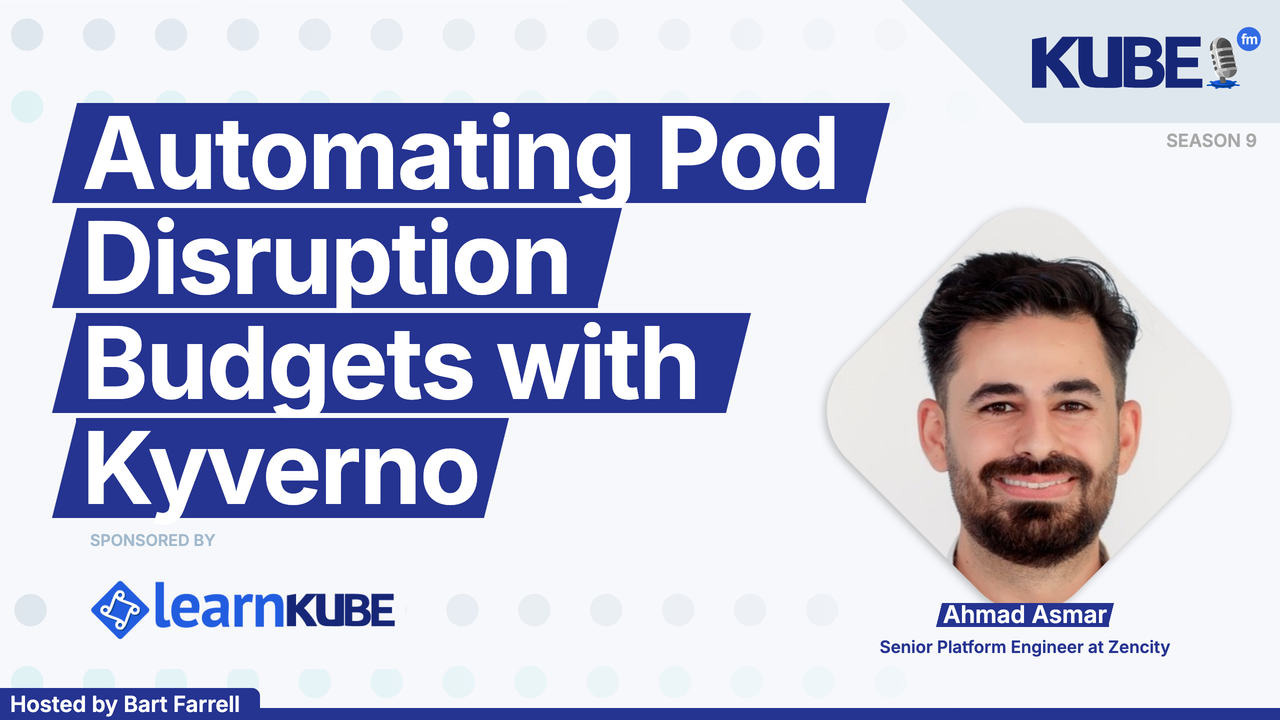
Bart Farrell: Kubernetes can optimize infrastructure aggressively, but every layer of automation introduces new failure modes. At Zencity, Ahmad Asmar's team ran more than 20 EKS clusters and uses Karpenter, Spot Instances, and Graviton nodes to improve utilization and reduce costs. But when nodes are consolidated or interrupted, workloads have to move, and services without correctly configured pod disruption budgets can experience downtime. In this episode of KubeFM, Ahmad explains how his team used Kyverno to automatically generate Pod disruption budgets across existing and new workloads. We get into label-based workload matching, avoiding duplicate PDBs, percentage-based disruption limits, single-replica edge cases, environment-specific configuration, and extending Kyverno's background controller permissions through Kubernetes ClusterRole aggregation. This is a practical look at an important platform engineering lesson. When you automate infrastructure, you also need to automate the safety mechanisms around it. Kubernetes requests and limits are easy to guess and hard to get right. Set them too high and you waste capacity. Set them too low and you risk throttling, OOM kills, or downtime. LearnKube has put together a free set of resources to help. A book, interactive calculators, and a cheat sheet for getting CPU and memory values right. You'll learn how to identify over-allocated containers and decide what is worth changing safely. You can download them at learnkube.com/kubernetes-rightsizing. Now, let's get into the episode. Here we go. Well, Ahmad, welcome to KubeFM. First things first, what three emerging Kubernetes tools are you keeping an eye on?
Ahmad Asmar: First of all, thank you for having me, Bart, here. Okay, so about the tools I'm keeping my eyes on for now, the three top ones, I think, is, first of all, is Kyverno, of course, because we're talking about Kyverno a lot, I think, today. It's a really nice tool, and we started doing policy as code lately at my job and the tool we chose is Kyverno so I'm keeping an eye on it and what's going on with this tool what is the new features and how we can take benefit from it in our clusters and Kubernetes the other tool I think is Crossplane I started looking into how we can do infrastructure as code management but without using Terraform, but doing it directly from Kubernetes. So using Kubernetes as a platform, not just for the microservices, but also to manage infrastructure. So one of the really nice tools I'm using is Crossplane. So it's really nice tool. I think everyone should check it out. The third one I think is going to be Karpenter. It is one of the really nice tools. I think Karpenter is like magic for me for scaling clusters. So it's a third tool in my mind. Also maybe Istio Ambient Mesh, which is something really good to mention here because no sidecars and we started moving to Service Mesh. So Istio maybe, I know it's a fourth one, but worth mentioning, I think.
Bart Farrell: Not a problem. It's good to see that you're ambitiously thinking about the different tools in the landscape. There are so many of them, and it's nice to see that you've done your homework. Now, Ahmad, for people who don't know you, can you tell us a little bit more about what you do and where you work?
Ahmad Asmar: So I'm Ahmad Asmar. I'm a senior DevOps engineer working right now at Zencity through ASAL Technologies. It's an outsourcing company. I've been working as a DevOps engineer in general for around six years at this moment. I started before that as an IT tech support and a little bit of system administration then I moved on a little bit more into system administration then to that DevOps field. So right now I'm working with Zencity for the last three years. Unfortunately, they needed to do a layoff for 50% of the company because of financial issues. So I was on the list, but still I'm working with ASAL because as I said, I'm working with them through ASAL, which is an outsourcing company. Everything is good, fortunately.
Bart Farrell: Ahmad, in terms of your background, how did you get into Cloud Native? Tell me the story behind that.
Ahmad Asmar: Okay, this is a really nice story down in the studio. So after I graduated college, I studied computer science, of course, and then I started working as an IT tech support, as I said. This was my first job. So when I was a little, when I was a kid, I was a lot into computers and games, and I had a computer of my own, so I was into this type of doing things on the computer. So I wanted to study computers, so I went to computer science in college. After I graduated, I started to work. as an IT support for a company here in Palestine called Reach, which was one of the companies for Paltel Group. I was doing support inside of the company for the employees inside the company with their computers and a little bit, as I said, of system administration. So I worked a little bit with the system administration department for doing, I think, Windows servers management. the Active Directory Management, some automation, stuff like this, which was really cool because I loved this field. I was so lucky to be mentored by someone called Asim Hussain. He was a senior advocate for Azure, for Microsoft Azure at that time. So I'm really thankful for Asim for helping me with this because when he mentored me, he asked me, like, Ahmad, what do you like? And I told him that I like to work with computers. I like to work with servers. And I love doing automations. And he told me six years ago that there is a field called DevOps. And in this field, you can do what you really like to do and more. And I was so curious because to be honest with you, six or seven years ago, I never heard about this world. I know that DevOps goes back to 2015. maybe like a long time ago, but I didn't hear about this word. So what is DevOps? What is development and operations? So I went online and did my research about this one. I found out what they are doing. And I thought, okay, this is what I am. I want to be a DevOps engineer. So I started self-teaching myself what is DevOps, how to do cloud and cloud native, how to do infrastructure as code. CI, CD, all these tools and the principles, not just the tools. What is a DevOps engineer as a mean? It's not just the tools. You need to know the full development cycle and how to make it easier and faster for developers. So I teach myself all that, not on a very advanced level, to be honest with you. And the One time I saw a post on some page about a fresh DevOps engineer for a company called ProGineer. So it's here, it's a local one. And I applied. And when I went into the interview, they didn't expect an expert, of course. It was a junior DevOps engineer. And when they found out that I knew, let's say, a little bit about AWS, a little bit about Terraform, a little bit about CI/CD. they were impressed and they gave me an offer for this job, which was really cool. And that was my first job in the DevOps field. In this one, I learned about AWS, infrastructure as code using Terraform, and a lot about configuration management using Ansible. So this was the first role or the first position where I was really called a DevOps engineer, like official type. And from there, I continued for, I think, more than a year. Then I got another job in another company called Freightos, which was really cool because it was my first time I was working with Kubernetes in production. So before that, I learned about Kubernetes. I knew what is Kubernetes and used it on a local computer, but I didn't work with Kubernetes in the production level. So this was the first time I worked with it. Kubernetes in the production level. But unfortunately, they didn't do all the best, maybe fortunately for me, because they didn't do all the best practices. There was a lot of ClickOps. And the automation is something I really want to do and I love. So I wanted to automate things. So I started working with how to introduce Terraform to the team, teach the team about the how to use Terraform and do infrastructure as code. how we can do GitOps using Argo CD. So I led these projects. I continued more with the Argo CD and GitOps project to stop deploying things to Kubernetes using Jenkins and or maybe Bitbucket a little bit was Bitbucket pipelines at that time. But unfortunately I didn't continue for a long time with them it was two years did the great things to be honest with you but it didn't continue so I moved to another job after two years which is Zencity okay through ASAL. this job was at that time better for me for personal reasons and I continued with the Zencity on let's say similar stack but more so I was working professionally with AWS a lot of AWS, EKS for Kubernetes, CI/CD using GitLab pipelines, because GitLab pipeline is more cloud native. It's not like Jenkins. With Jenkins, you need to do a lot of plugins. It's very powerful, but GitLab and GitHub Actions, for example, much better for cloud native, because it was easier and you can do more with it. So I continued for three years at Zencity, doing all the work leading AWS, leading EKS fleet, doing the CI/CD infrastructure because we are using GitHub self-hosted and it was like four or five EC2s and I wanted to change that so I changed that to a fleet of only managers so we have EC2s as managers and these managers can and spin up new EC2s on demand using spot instances. And when each EC2 does the job for the pipeline, because pipelines are split into jobs, and when each job finishes, the EC2 will be terminated. This saves us a lot of money. It scales almost without limits because each, we have a lot of pipelines and we have a lot of service. And four, five. teams working on these services these microservices so we needed something that auto scales and goes back to almost zero so we don't have EC2s running all the time waiting for the pipelines we only have managers and these managers really small like the t4g.small so it's really cool infrastructure and i built the Terraform module to deploy the same architecture or with the same infrastructure for multiple accounts. and it's open source now. So I have a Terraform module open sourced for this so anyone can use it to create a self-hosted GitLab runner manager and it uses the AWS Fleeting plugin. So this AWS Fleeting plugin is the official plugin from GitLab to use this system. So it uses this on the EC2s, but the module does everything around it. It's really cool one. I loved working on this one. and lately we were working on service mesh. This is why I said Istio is on my list. We're moving to service mesh and gateway API. So, for everyone listening to us, NGINX Ingress is deprecated. It's not going to be secure. You should migrate. And the de facto standard now is gateway API. you can choose whatever tool you need. There's Envoy, there's Istio Gateway API, there's I think a lot of tools. Do your research, but migrate. And also, Crossplane. So I was also working on the Crossplane at Zencity using Kubernetes and Kubernetes API, the custom resource definitions we get from Crossplane instead of using HCL, which is the HashiCorp Configuration Language and Terraform, we can use Kubernetes as a platform because Kubernetes is moving to be, it's becoming a platform more than just an orchestration for microservices and for Docker containers or containers in general. So this is, this is what we are doing right now. My next, I think, job, I wanna be more focused on Doing AI infrastructure maybe and of course using Kubernetes because Kubernetes can be used for AI infrastructure management like GPU nodes. training, LLMs, everyone is moving to AI. So I think I'm following the trend. this is in general.
Bart Farrell: Very good. Sounds like a good plan. Now, Ahmad, at the beginning when you said about how you got into all this knowledge about DevOps and also about Kubernetes, a lot of it has been self-taught. And the Kubernetes ecosystem moves very quickly. What are your best practices? and resources for staying up to date on all the changes that are happening in the ecosystem?
Ahmad Asmar: really good question. Everything is moving really fast these days. So my main source of information I think is one is the change log from Kubernetes version. So I keep track of Kubernetes and every time I see there is a new version, I go to the change log or to the announcement the new Kubernetes version. I take a look at what is the new features, what they did, what they added, what is deprecated. Maybe not all of it, but it's not like to study it, but to take a general look about what's going on, what they did. The great stuff will surface, I think, it will be on the top. For example, like when they added the In-Place Pod Resize. In the past, if you change the resources of some Pod or some container, you need to restart it. In the new Kubernetes, I think we're at 1.35. You don't need to restart the Pod. It's going to be changed dynamically. And this is one of the great features because this is something really cool to use with the Vertical Pod Autoscaler. This is only the first thing. The second thing is I read a lot or see a lot of posts from LearnKube. There's a LearnKube page. Also the KubeFM, which is I know about right now, a really good one. I knew about the LearnKube for a long time and I think I followed him for a long time. So they're really good guys and you can get a lot of information there. Also Kubernetes Slack. I'm in the Kubernetes Slack workspace, I think you could call it. And the CNCF Cloud Native Slack. CNCF, the Cloud Native Computing Foundation. I'm also following them there. And, sometimes in X, I get, because I follow a lot of people in the tech, I get information like sometime about Kubernetes and DevOps in general. So this is in general,
Bart Farrell: Plenty of resources, very active. And Ahmad, if you could go back in time and share one career tip with your younger self, what would it be?
Ahmad Asmar: Sometimes I think I would tell myself to read more documentation. Because sometimes when I'm working on something, I'm doing something and trying something and it doesn't work or takes time. But if you read in the documentation, sometimes it's not that obvious in the documentation, but if you read the documentation really well, between the lines, you will find your answer. And I think with the AI tools now, it's going to make it easier for you because you can summarize the documentation or it can read the documentation for you in a much faster way. Read the documentation. Sometimes you need maybe to look at the source code. Why I'm saying this because as I said, a lot of the times I'm doing something and it doesn't work out. And if I read the documentation really well, I find my answer. And I know a lot of developers, a lot of people not reading the documentation or they don't like to read documentations. I don't know why. This is one of the tips I can give people out there.
Bart Farrell: Excellent. Now, we found an article that you wrote titled Automating Pod Disruption Budgets with Kyverno. So we want to dive into this topic a little bit more to hear about your experience and your opinions. But before we get into the technical details, tell us about Zencity's platform. You're serving local governments, which I imagine comes with some very specific uptime expectations. What does your Kubernetes infrastructure look like? How many services? What kind of scale are we talking about?
Ahmad Asmar: Zencity is a civic tech platform. We sit between local governments and residents. We ingest hundreds, maybe millions of data points a day from social media surveys, 311 calls, public records. and we turn them into something a mayor's office or a police chief can actually act on. So downtime is not something we really like or want. So we want our services to be always up and running. On the infrastructure side, we have, I think, 20 AWS accounts, four regions, around 20, 21 EKS clusters. and maybe around 30 microservices in that range. We run an EKS fleet, Kubernetes on EKS. As I said, it's about 20 EKS clusters. We use Karpenter for autoscaling. We're not using the cluster autoscaler from AWS, the native one or the default one. We use Argo CD for GitOps, of course. Downtime is not a really good thing. And we always trying to do things where we can keep our services up and running almost all the time. We want the availability, reliability, scalability, and we keep ourselves, when we want to take a decision, we take it around these principles.
Bart Farrell: When running that many microservices on Kubernetes, cloud costs add up quickly. And a lot of teams end up with nodes that are only partially utilized. Maybe a node is running at 30% capacity, but you're still paying for the full instance. There's a class of tools that try to solve this by actively consolidating workloads under fewer nodes, reclaiming the ones that become empty. How did you approach the cost optimization side of your cluster?
Ahmad Asmar: So we came from Cluster Autoscaler. So Cluster Autoscaler is the default one. But the issue with that Cluster Autoscaler, it's reactive. It's not proactive. So when a node is fully empty, it deletes that node, but it doesn't think about minimizing the nodes or moving workloads to fewer nodes, for example, which leaves you with a lot of nodes that are not fully utilized, maybe 30% or something. So that's a problem. And another problem with the cluster autoscaler is you need to pick a static instance type and static EC2 type so you can't mix types okay so if there's a Pod with the resources like a memory request of 2 GB and the type you have in the node group is 8 GB, a lot of your memory or CPU is going to be wasted how we solve this using Karpenter. It is like the magic of the auto scaling for Kubernetes nodes. Karpenter will allow you to create or allow Kubernetes to create nodes with just the right size. If there is a pod with some specific resources, it doesn't need to spin up a very big node to host this pod. It's gonna be just the right size. Just the node that can fit this pod and a little bit more. Some calculation. So Karpenter will do this. Doing this, we don't have a lot of nodes that are underutilized. So, Karpenter will try always to fit all the Pods into fewer nodes. So, the nodes will usually be not underutilized, not overutilized, like just the right utilization for our resources and our workloads. Another great thing with Karpenter is you can use it with spot instances as well. So this is one of the things we are doing actually. So we use Karpenter with spot instances. So Karpenter is spinning or provisioning spot instances and we use these spot instances for the stateless workloads we have. Of course, for anything that is critical for the system like Karpenter itself, for example, we host on on-demand instances because we don't want any interruption on Karpenter itself, but the controller itself for Karpenter. But Karpenter can spin up spot instances and host pods on these instances. We're saving a lot of money because Karpenter is going to spin up just the right size nodes for our workload. And the third thing I'm gonna say is using Graviton. I led the migration lately to move everything to a Graviton instances. So we're moving out from Intel and AMD using ARM64, using Graviton processors, which is going to save us also a lot of money because it's cheaper and sometimes performance is also better. So we have more performance, less cost. These are the three things we use. This formula gives us the best price-to-performance ratio at Zencity.
Bart Farrell: That kind of aggressive node consolidation sounds great for the cloud bill. But there is a source of tension here, given that every time a node gets consolidated, the workloads on it need to move somewhere else. And if you have a microservice with, say, three replicas, and they all happen to land on the same node, maybe because nobody set up anti-affinity rules, what happens when that node gets selected for consolidation?
Ahmad Asmar: So if we have a microservice with three replicas, all the replicas on one node, because we don't have the anti-affinity, as you said, it's going to be a problem. And we will have a downtime that way, because if Karpenter requires to delete some nodes and delete some nodes because fewer nodes can't have all the workload and these three Pods are on one node it's going to be evicted so all the Pods will be evicted and it's going to be at the same time and this is going to cause us some downtime so we don't want that. The solution for this is using a Kubernetes Pod Disruption Budget. And just to add a note, when you are using Karpenter with spot instances, the interruption is going to be more than the normal one because using spot instances, you will get the interruptions from AWS every now and then. It's not just Karpenter trying to do the consolidation and trying to fit these Pods into fewer nodes or choosing another node that is cheaper and host the workloads on this node. It's great with this but if you're using also spot instances it's going to be more aggressive. This is our case and we needed a best solution to prevent this downtime using the interruptions and using the consolidations. A Pod Disruption Budget was the solution. We wanted every microservice to have this type of Pod Disruption Budget so we don't run into any downtime. If there is, as you said, in this scenario, if there is three Pods on one node, we don't want to run into downtime.
Bart Farrell: So the mechanism exists and it works well, but there's a gap between the mechanism exists and every service in your cluster actually uses it. You had tens of microservices, developers focused on shipping features, and node consolidation happening automatically in the background. What was the actual operational problem you were facing?
Ahmad Asmar: The problem was, as you said, everyone and developers always focus on developing new features. They don't focus or maybe sometimes they don't remember about the Pod Disruption Budget. We wanted something to be more automatic. So what we did is to use something like Kyverno, the policy as code engine to automate this. So instead of just having this in some wiki somewhere and just relying on developers to remember adding Pod Disruption Budgets, what we wanted to do is to automate this and make it maintenance free. So we were using as said, Kyverno, and the policy as code tool, which is really great tool. And using this one, we were able to automate the Pod Disruption Budget creation or generation, and just make it work as that.
Bart Farrell: Now, that is a classic platform engineering problem. You can't rely on every developer remembering every piece of operational boilerplate for every service they deploy. You need some kind of automated enforcement. And there are several approaches in the Kubernetes ecosystem for this. from policy engines to custom admission webhooks. How did you go about solving it?
Ahmad Asmar: Okay, good question. So about how we automate this, I think we mentioned the Kyverno before, but there was multiple options, as I said. One of the other options we could have used is Gatekeeper, but using Gatekeeper has a learning curve. So you need to learn Rego. and it's not cloud, I think it's not Kubernetes native sometimes. Kyverno is Kubernetes-native. You can use the YAML files, it's a YAML native, and you can deploy the YAML file directly to Kubernetes. And the developers at Zencity know YAML and know how to write YAML at this moment. We didn't need to learn any other tool to do a policy as code. So we chose Kyverno because of this feature and we deployed it and used it for the Pod Disruption Budget. Really nice tool.
Bart Farrell: So you're not just blocking bad configurations at the gate. Actually having the policy engine create resources that are missing. The goal is If a workload has multiple replicas but no matching disruption budget, one gets created automatically. Now that sounds straightforward, but there's a subtlety in how PDBs work. They don't actually reference a deployment by name. The mapping is indirect. What makes this harder than it looks?
Ahmad Asmar: So as you said, Kyverno and using the Pod Disruption Budget, it doesn't reference deployments directly. So they reference Pods using labels, so they match by labels. And that was one of the issues we faced. So you can't just create a Pod Disruption Budget based on the deployment name, and you can't search or look for the existing Pod Disruption Budgets using also the deployment name. So you need to look for that Pod Disruption Budgets with the labels. with the same workload in a question. So that was one of the issues we faced. So you need to work with labels instead of the deployment name. And this is what we are using for generating the new Pod Disruption Budgets, actually. And when we look for if there is an existing Pod Disruption Budget already in the cluster for this workload or not.
Bart Farrell: And if you get that wrong, you'd end up generating duplicate budgets and a team might already have a custom PDB with specific settings and your automation would stamp out a second one because it didn't recognize the existing one. How did you handle that detection problem?
Ahmad Asmar: This Kyverno cluster policy, it does an API call for some namespace and it gets all the Pod Disruption Budgets from that namespace and it looks for any Pod Disruption Budget with the same labels of the same workload in question. So if there is an existing one with the same labels, we don't create a new one. If there is no disruption budget with the same labels, we create or generate a new one for this workload.
Bart Farrell: You chose to set the disruption budget as a percentage rather than a fixed number. There's an important scaling consideration behind that choice. Why percentage-based?
Ahmad Asmar: The first reason is scalability. If you set, for example, if you're using a max unavailable, and if you set it for, let's say, one, that's going to be reasonable for three replica service. But if your service is a 30-replica service, it's going to be a problem because when there's, for example, an eviction, if the max unavailable is one, it's going to be a lot of time and you're gonna wait a lot of time until its 30-something replicas are replaced and in our case because we're using Karpenter with the spot instances if there is an interruption for some spot node and let's say there is 10 Pods or 15 Pods on this node alone it's gonna be a lot of time until these Pods get replaced because the max unavailable is just one right because we need to evict one, wait for a new one to go live, then the next one and that's it. But the issue is with spot interruption. There is a two minute window until you finish the graceful shutdown and you replace the node. So that's going to be a real issue and a problem in our case. If you're using something like a percentage, it's going to be more dynamic, right? The Pod Disruption Budget is going to adapt for the new number of replicas without needing you or the developer to change anything on the Pod Disruption Budget itself. So they can increase replicas. Maybe it's gonna happen using the Horizontal Pod Autoscaler. Everyone should use a Horizontal Pod Autoscaler. So when the HPA increase or decrease the Pod size, the percentage is going to adapt to that. If we use a static value is going to be an issue as I said because a lot of the scalability will lose the scalability.
Bart Farrell: But also what about single replica services? If you apply a disruption budget to a service that only has one replica, you could end up in a situation where the node can never be drained at all. How do you handle that edge case?
Ahmad Asmar: good question. So when we want to generate the Pod Disruption Budget in the policy we have a check if this deployment for example has only one replica we don't generate the Pod Disruption Budget the precondition is to have replicas more than the min because you can change the min replicas but by default we use two. So if the replicas are more or equal the min replica, the min replica is two, for example, we use two I think in the blog, it's going to create a Pod Disruption Budget. If not, it's not going to do it. You can change it of course, but this is by default. If there is one replica, we don't need the Pod Disruption Budget because it's going to block the eviction forever. If we have a node deletion or a node interruption, it's going to be blocked and that's going to be an issue.
Bart Farrell: Now, one thing that's tricky about introducing this kind of automation into a cluster that's already been running for a while is that you don't just have new services going forward. You have months of existing services that were deployed without disruption budgets. How did you handle the backfill for workloads that were already running?
Ahmad Asmar: Actually, that was the case when we did this. A lot of deployments, multiple microservices was working and running for a long time. and we didn't want to go one by one and create a Pod Disruption Budget. So we wanted something to be more automated. And one of the really great features we used in Kyverno is the generateExisting: true. So using the generateExisting: true will make Kyverno search for all the previous or old deployments or StatefulSets and If there is one without a Pod Disruption Budget, based on the conditions and the checks we do, as we said, based on the labels of the Pods, and the replicas, of course, more than the min, which is more or equal than min, which is two, it's going to create a Pod Disruption Budget for that one.
Bart Farrell: You're managing this across multiple environments, production, staging, possibly more. Different environments might have different tolerance levels for disruption. So how do you keep this configuration consistent and environment specific at the same time?
Ahmad Asmar: We used to deploy this Pod Disruption Budget cluster policy using Terraform. So in Terraform, we have it as a template and for each environment we have different variables. So we can change, let's say, the min replicas, the percentage of the max unavailable. and make it specific for each environment, which worked really well for us. But lately we're migrating this to Argo CD. So it's the same, let's say, the same principle, the same thing, but using Argo CD to deploy it directly to Kubernetes. But we use Terraform and it worked perfectly for us before. And now it's the same, but moving it.
Bart Farrell: Now, let's talk about a gotcha that you hit during deployment. The policy engine has a background process that handles generating these resources, but out of the box, it didn't have the right permissions. Rather than modifying the upstream Helm chart, which would create a maintenance burden on every upgrade, you found a native Kubernetes pattern to extend those permissions. Just walk us through what you did.
Ahmad Asmar: So Kyverno, I think, is able to read Pod Disruption Budgets by default but the background controller is not allowed to do create, delete, or update on any Pod Disruption Budget by default. This is for security, which is for a really good reason. What we wanted to do is to create or update new Pod Disruption Budgets and make them available automatically inside of the cluster. And so to do that we needed more permission, right? So instead of changing the upstream Helm chart or introducing new values for the Helm chart, we wanted to use something more native to Kubernetes. It has a feature for ClusterRoles. I think it's called ClusterRole aggregation. So using this feature, you can add new permissions, new verbs to some ClusterRole by just labeling it with some specific label the Kyverno background controller uses. for aggregation. So what we did is just creating a new ClusterRole with the new permissions we want for the background controller and label it with some label I think called aggregate-to-background-controller: "true" and when you do this Kubernetes natively is going to merge this with the main or the default ClusterRole And then you will immediately have the new permissions or the extra permissions you want. And Kyverno will be able to do the update, the patch, create natively.
Bart Farrell: Now, looking back at this whole journey, from noticing the risk with node consolidation, all the way to having automated disruption budgets running in production, what's the key takeaway you'd share with teams that are dealing with similar gaps? between what developers should configure and what actually gets done.
Ahmad Asmar: So I'm going to say as you automate the infrastructure side, you have to automate the safety nets as well. Stop relying on policies that humans have to follow or maybe developers will forget about and start generating the right defaults. Use automation, something like Kyverno, to enforce policies, okay? Because it's much better than just write about this in some wiki page and hope that developers are not going to forget about this one. So in general, do automation, enforce policies, and also you can use the same pattern, not just for Pod Disruption Budgets, we're talking about Pod Disruption Budgets, but the pattern can be used for anything else, for network policies, resource quotas. whatever you like. The sky is the limit, Bart. So you can use Kubernetes for a lot of things and automation,
Bart Farrell: Excellent. Now, Ahmad, what's next for you?
Ahmad Asmar: Okay, so for me, I think next is going to be, as I said or mentioned earlier, I'm going to focus more on managing infrastructure for AI. It's going to be almost the same as the infrastructure we manage, but doing managing nodes with the GPUs for example, slicing the GPUs for some workloads that needs to use the GPU. Working with the tools like Kubeflow I think the tools they are using right now for AI but on Kubernetes. I really like and love Kubernetes, to be honest with you, and I want to use it as a platform for everything, not just for, as said, microservices. I'm also focusing on Service Mesh, Gateway API, and Crossplane. I really like this tool as well, and infrastructure as code using Kubernetes as well. Kubernetes as a platform, I said that a lot, I think.
Bart Farrell: And if people want to get in touch with you, what's the best way to do that?
Ahmad Asmar: They can use LinkedIn, they connect or follow me on LinkedIn. I think I have also an account on X, @ahmadsasmar. They can connect and reach out to me there. I said LinkedIn and my email. I think also in GitHub, if you go to GitHub to my page, you can find my contact information there, Ahmed Asmar. Ahmed with an E, and you can find me there.
Bart Farrell: Perfect. Well, thank you so much for joining us and sharing your knowledge with our community. Look forward to hearing about the next steps and best luck to you in the future. Take care.
Ahmad Asmar: Thank you for having me, Bart. Take care.
Bart Farrell: Pleasure. Cheers.